From sign-up to shareable, in minutes
How Konneqta works
Four steps between you and a digital identity card you can share anywhere — by link, by QR, or in person.
1Step 1
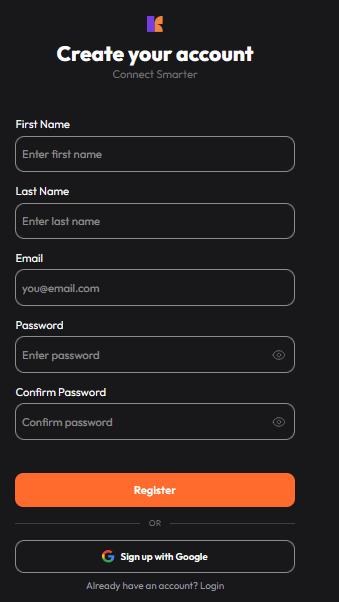
Create your account
Sign up in seconds with your email, or skip the form entirely with one-tap Google sign-in.
- Email and password, or Google — your choice
- No long onboarding walls before you get started
2Step 2
Tell us who you are
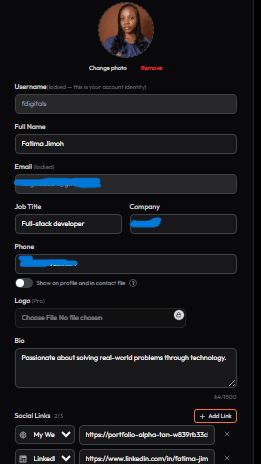
Fill in your details once — your name, role, company, and links — and Konneqta turns it into a polished card.
- Add your job title, company, and a short bio
- Phone number is optional and can stay hidden from your public card
- Add social and portfolio links with a click
3Step 3
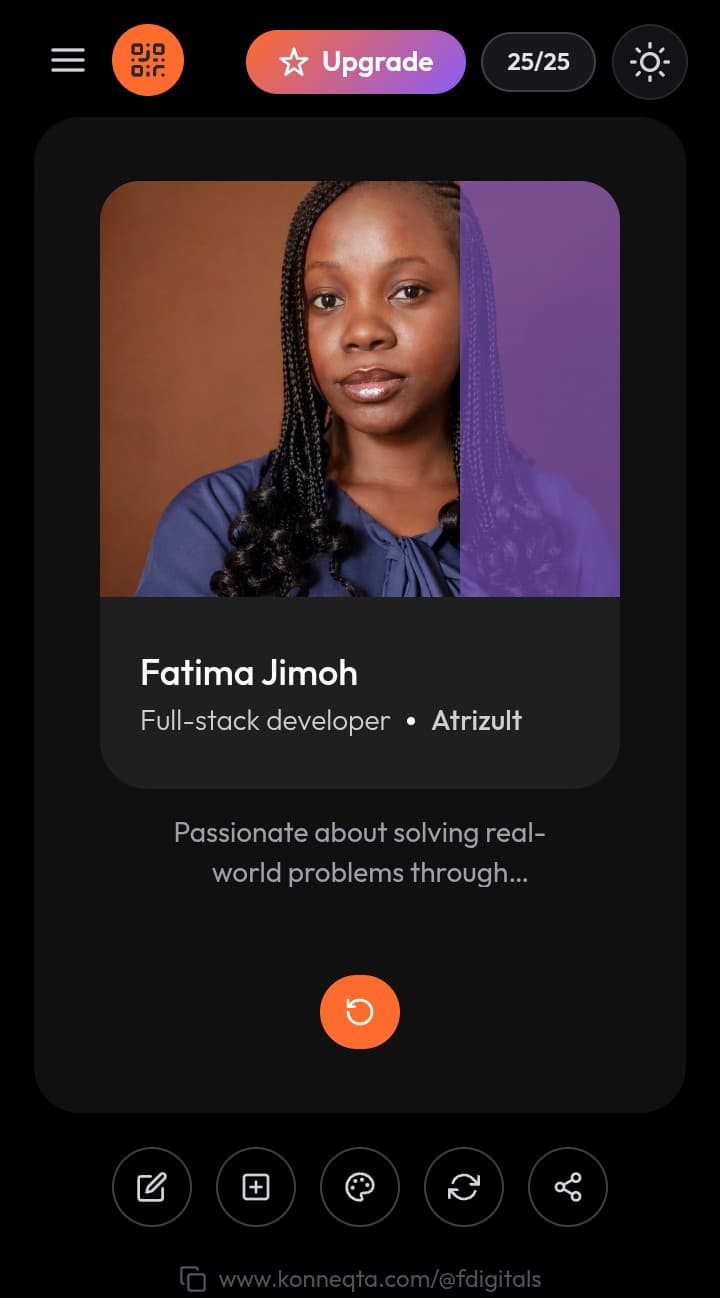
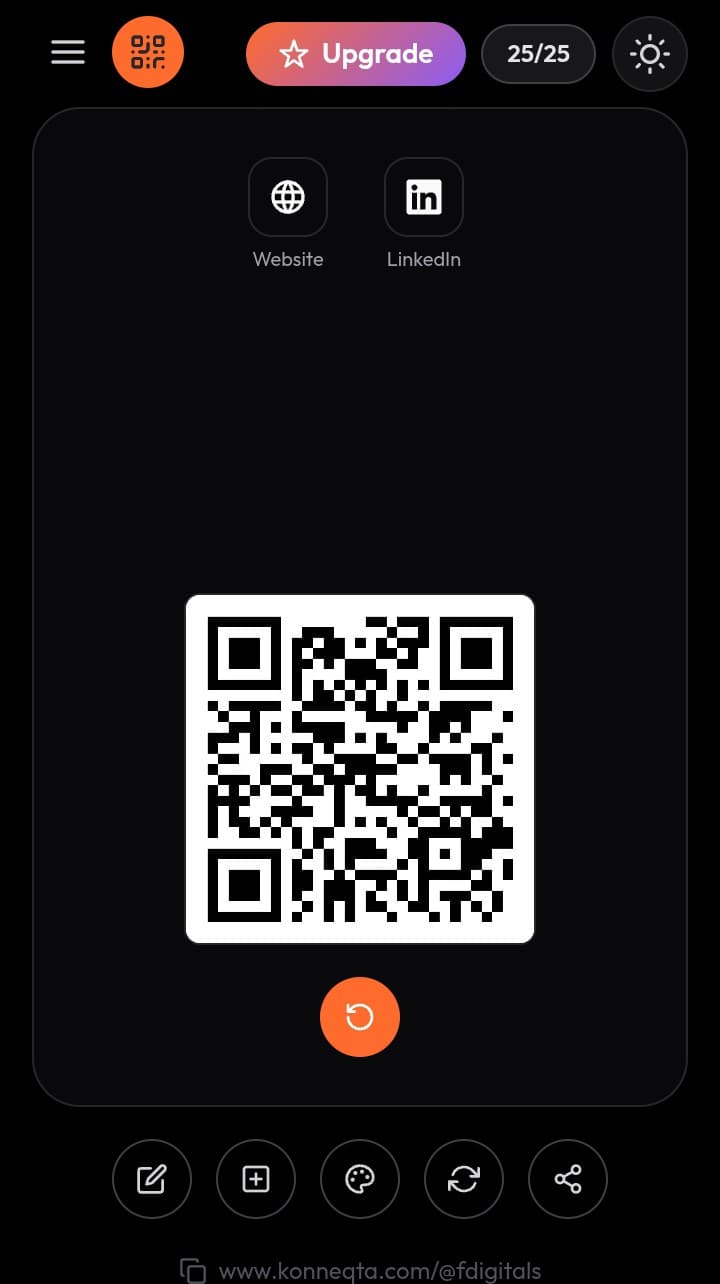
Your card, ready to share
Your profile becomes a clean, tappable card. Flip it to reveal your QR code — perfect for sharing in person, no typing required.
- One tap flips between your profile and your QR code
- Free plan includes 25 shares a month, shown live at the top of your dashboard
- Resets automatically each month
4Step 4
Upgrade whenever you're ready
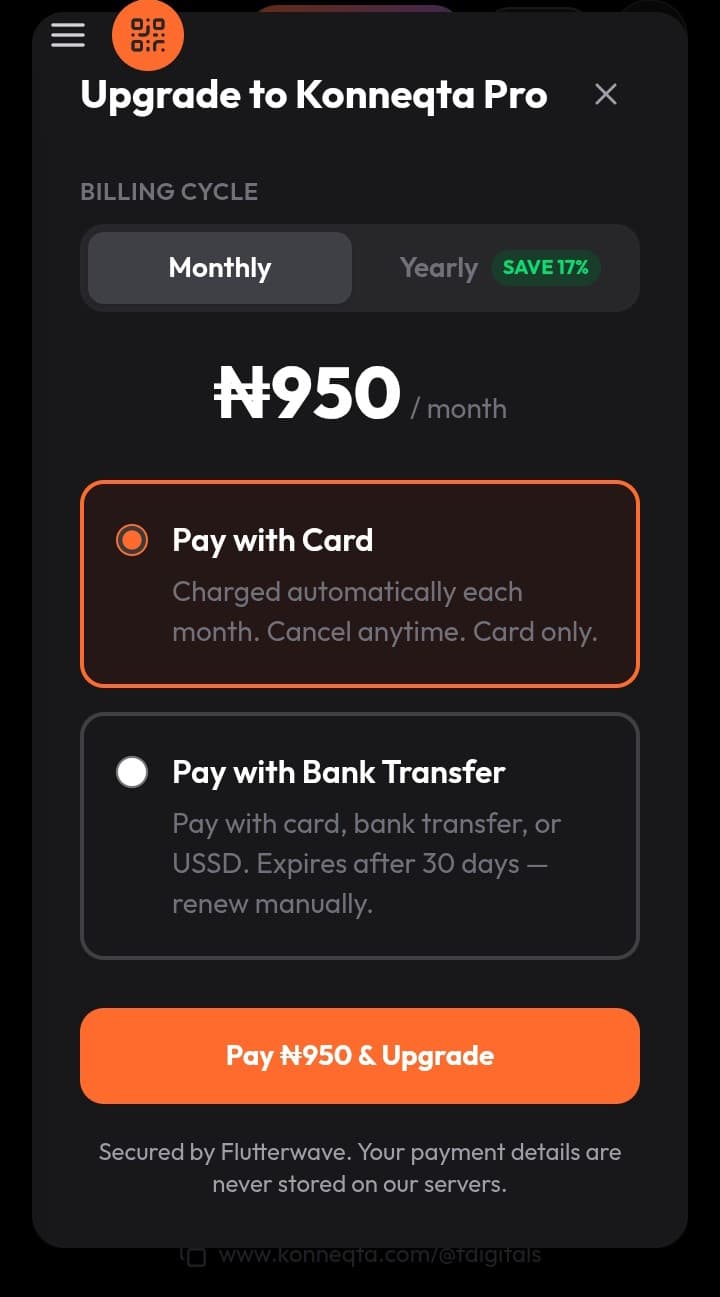
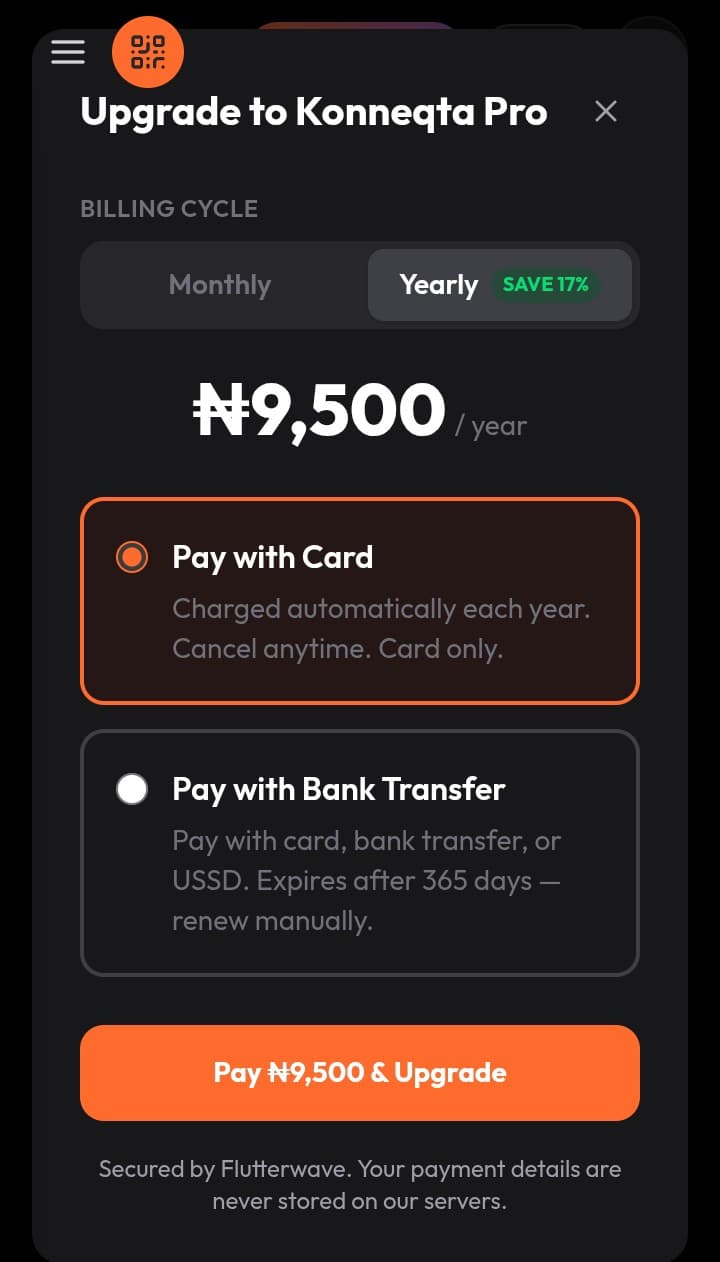
When you outgrow the free plan, upgrading to Pro removes the share cap and unlocks custom themes, banners, and a branded QR code.
- Switch between monthly and yearly billing — yearly saves 17%
- Pay by card or bank transfer, secured by Flutterwave
- Cancel anytime — your card never disappears